Spider Solitaire 2 Suit - Play for Free Online

Play Spider Solitaire 2 suits online - this is the medium difficulty version of Spider Solitaire Game Type: Spider |Win Statistics:20%
Spider Solitaire is a popular card game played around the world. It’s a complex game that requires problem-solving skills to master. However, if one is not into hard thinking and just wants to relax and be entertained, the game can be played at an easy level.
The game is played with two 52-card decks of standard playing cards. There are three different levels of difficulty. The Beginner level is played with only 1 suit and is relatively easy to beat. The Advanced level is played with all 4 suits and is rather difficult to beat. Most prefer the Intermediate level, which is played with 2 suits.
This version is meant for the intermediate player. It’s played with 52 Hearts and 52 Spades.
History
Spider Solitaire is said to have gotten its name from the fact that spiders have 8 legs and the game has 8 foundations. The computerized version became very popular following its inclusion into Microsoft’s Windows 98 Plus. It’s still one of the most played solitaire games today.
Goal
The goal of Spider Solitaire is to build all 8 ordered suits from King down to Ace in the Tableau, each ordered suit is automatically sent to a foundation as it’s completed. In effect, the goal is to empty the Tableau of all cards.
How to Play Spider Solitaire
Spider Solitaire is played with two decks of standard playing cards, for a total of 104 cards.
When the game starts, a pile of 54 cards is dealt into each Tableau column, 6 into the leftmost 4 columns, and 5 into the remaining 6 columns. Only the top (bottom-most on-screen) card in each pile is face-up (visible) while all the rest are face-down (hidden or invisible). The remaining 50 cards are sent to the Stock.
Part of what has to be done to win a game is for the player to turn (cause to become visible) all 44 hidden cards in the Tableau. A card is turned (or flipped) automatically when all cards atop of it are removed. This brings the card into play and can then be moved when appropriate.
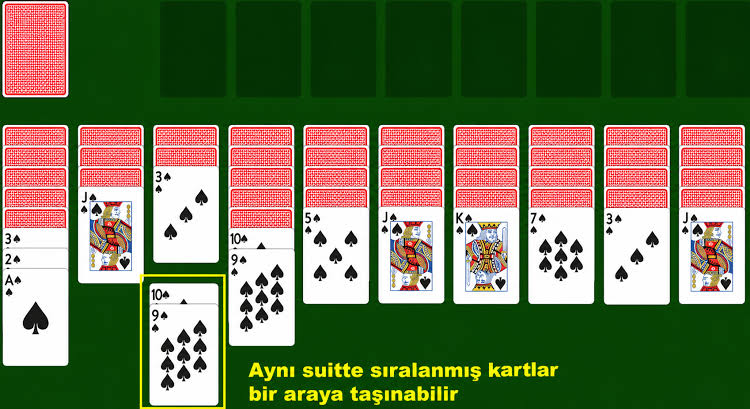
In Spider Solitaire, groups of one or more consecutive cards are moved at a time within the Tableau. All the cards being moved must be the same suit and, from up to down on the screen, must be descending in rank. When the player manages to arrange a complete suited run from the King down to the Ace, it is automatically placed into a foundation location for storage.
A column that contains no cards is said to be empty or vacant. The rules of the game allow any suited run to be placed into an empty column.
A suited run in the Tableau may be moved from the bottom of one pile and either into a vacant column or onto the bottom-most card in another pile. If onto another pile, the target card must be next in rank to the highest ranking card being moved; however, it does not necessarily need to be the same suit.
When all cards have been moved to the player’s liking within the Tableau, they must click on the rightmost pile in the Stock to initiate the next deal.
This process of moving suited runs and initiating the next deal continues until there are no more piles left in the Stock. At this point, if the player can move cards around and remove all cards from the Tableau, the game is won.
hints
When clicking on “Hint”, moveable cards are marked with two different colors. One color for cards that can be moved over a card from the same suit (these are the preferred moves), and another for cards that can only be moved over a card from different suits.
Depending on your settings - clicking a card may not move it over another non-same suit card, you may need to drag it (this behavior can be changed from the options menu)
Please refer to Spider Solitaire 1 Suit for more basic strategy and to Spider Solitaire 4 suits for more advanced strategy and tips. Here are a few tips on how to beat Spider Solitaire:
- In at least the first few rounds of play, the obvious strategy should be to attempt to vacate a column. One method is to do so at all costs, and another is to hold back some moves that might hinder access to hidden cards.
- Plan your moves carefully. Attempt to find a combination of consecutive moves that accomplish some useful objective, such as turning a hidden card or vacating a column.
- Usually, one should play the combination of moves that results in the most gains, but what is given up should also be considered.
- In at least the first few rounds of play, the obvious strategy should be to attempt to vacate a column. However, well into the game, if it is to be won, a shift in strategy must occur to one more of ordering visible cards rather than turning hidden ones.
- There are occasions when it pays not to finish building a suit, even though it’s possible. However, as a general rule, if completing a suit causes a column to vacate, it’s not a mistake to do so.
- It’s often advantageous to leave a run disorganized, meaning that it contains one or more changes in suits. The run disarrangement can often be shifted from one column to another, normally with the aid of one or more vacant columns. The player should choose to leave higher disarrangement (more suit changes) in columns where they are less likely to hinder a victory. Knowing which columns comes with experience.
- Don’t be overly concerned with a single hidden card (or two, or sometimes even three) directly beneath a King. Don’t rely on turning the sole hidden card in a column and then quickly being able to vacate it. But, when there’s nothing else constructive to play, go ahead, see what the King is hiding.
- When faced with a choice of giving up an empty column either to turn a hidden card or to add ordered cards to a pile of already ordered cards, carefully examine the game state before making a decision. Very often, the better option is to add order to the game. This also has the advantage that turning hidden cards later in the game is likely to be easier.
Layout
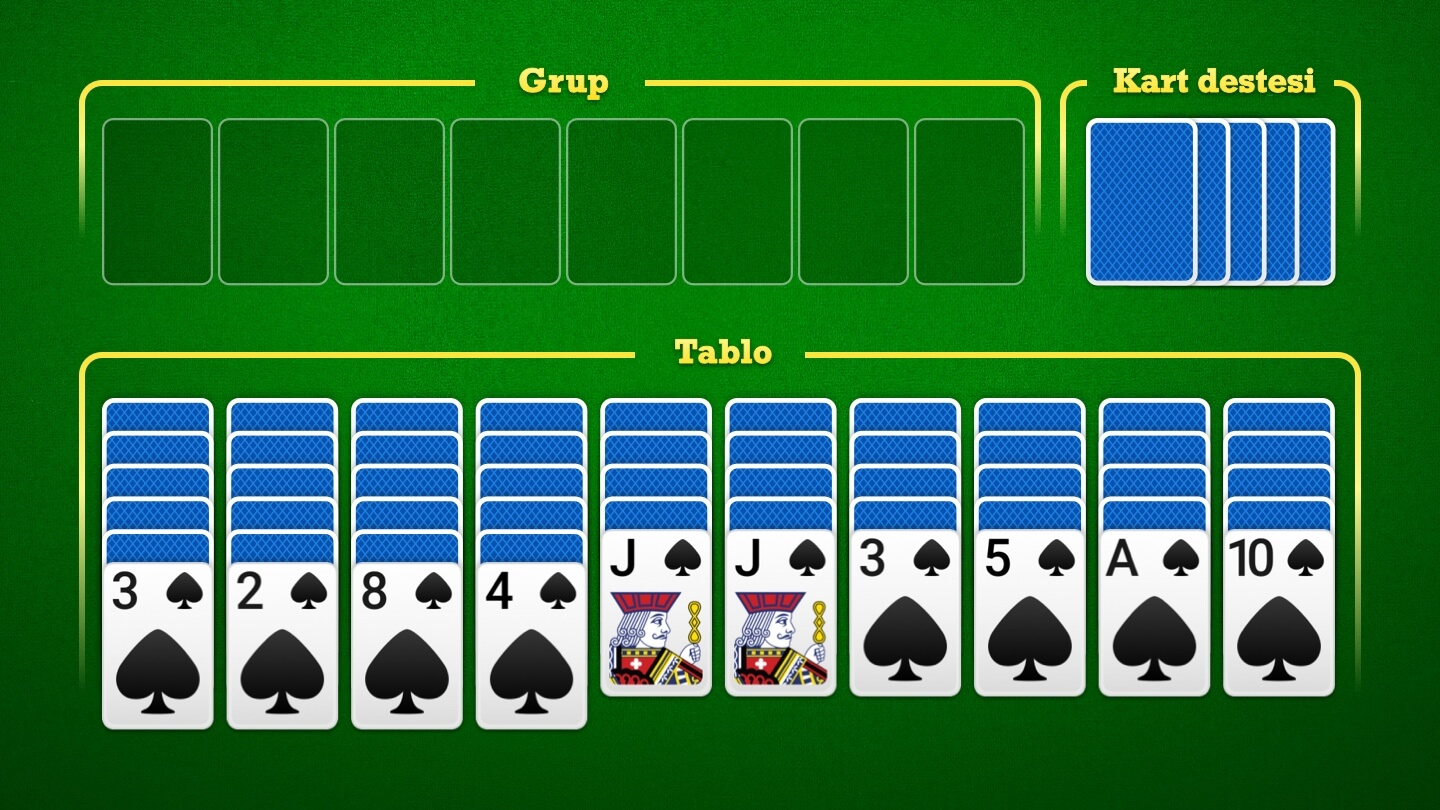
The game screen is made up of 3 different areas.
The Tableau consists of 10 unmarked columns running horizontally across the screen. Each column either contains a vertically overlapped pile of one or more cards or is empty, depending on the current state of the game. This is where most of the action takes place during gameplay.
The Foundations is located in the top right corner, above the Tableau. Horizontally, it consists of 8 rectangles. Each rectangle is a foundation that is used to hold a completed suit build.
In the upper-left corner is the Stock. This is where the reserve cards are held that are put into play as the game progresses. At the start of the game, it contains 5 horizontally overlapped squared face-down piles of cards. Each pile contains 10 cards. At the desired time, the player clicks on the rightmost reserve pile, which causes the cards in that pile to be dealt face-up into the Tableau, one card per column.
More Information
A Guide to Spider SolitaireA Guide to Spider Solitaire RulesAdvanced Spider Solitaire tipsAbout changing strategies during the game
Spider Solitaire 2 Suits Goal: Foundations:- Cards automatically move to an empty foundation when a pile contains an ordered set of cards from King to Ace (sharing the same suit)
- You cannot move cards manually to the foundation
Piles:- Should be built from King to Ace
- The top card can be moved–or–An ordered set of cards can be moved as long as they share the same suit
- An empty pile may be filled with any card or an ordered set of cards that share the same suit
Stock:- Click to deal one card to each pile
Close 105183 ? Numbered games are pre-determined deals.Not all numbered games have a solution.Please choose a game number between 1 and 100,000,000
Spider Solitaire Oyna – Bedava ve Ücretsiz Online Spider Solitaire
Bu site yalnızca ilgili makaleleri toplar. Orijinalini görmek için lütfen aşağıdaki bağlantıyı kopyalayın ve açın:Spider Solitaire 2 Suit - Play for Free Online